
CryptoTab Browser Max Speed
CT TechnologiesCommunication
4.31.84K Reviews
- Version
- 7.2.29
- Installs
- 1.00M
- Age Rating
- Everyone
Screenshots

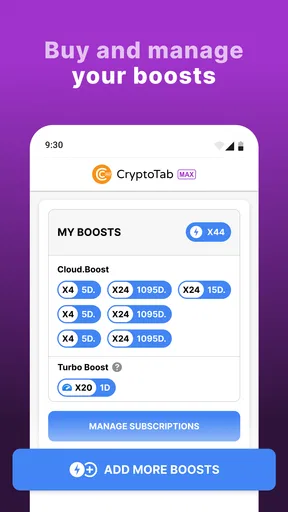
Our Review of CryptoTab Browser Max Speed
 Analysis by Appyee
For a household that shares a phone or tablet, a browser is more than a way to open websites: it can shape how comfortably each person handles everyday tasks. I find CryptoTab Browser Max Speed most interesting as a separate browsing option for someone curious about cryptocurrency, rather than an automatic replacement for every browser on a shared device. It comes from CT Systems, is free to install, and sits in the communication category. The main decision is whether its crypto-focused angle fits the people who will actually use it.
One device, different browsing habits
Picture a shared tablet used in the morning to check messages, later to look up a recipe, and in the evening to watch a video or read about digital currency. A browser can make those visits convenient, but shared use also makes account boundaries important. I would decide who is meant to use the browser before signing in or changing settings, especially if more than one person uses the same device.
That matters particularly when a browser includes an earning or mining feature. A person exploring that option should understand what they have enabled and keep expectations realistic; it is not the same as browsing without any crypto-related activity. If other household members only need ordinary web access, a familiar general-purpose browser may be the simpler choice for them.
Set expectations before you start
The app’s name puts speed front and center, but I would not choose a browser on that promise alone. How fast pages feel can depend on the connection, the website, and the device, so the sensible test is to compare the pages you actually visit. Try a few everyday tasks before moving bookmarks or relying on it as your main browser.
There is also a difference between installing a browser and opting into its crypto side. I would treat those as separate decisions: first see whether its regular browsing suits you, then look carefully at any mining controls and the implications of using them. The app offers in-app purchases ranging from $0.99 to $998.99 per item, so I would review any purchase prompt rather than assuming every extra is necessary to browse.
Coordination without account confusion
For shared-device use, a small routine can prevent avoidable mix-ups: agree who uses the browser for crypto-related activity, avoid leaving a session open for the next person, and check which account is active before making changes. These are ordinary good habits, not special household controls. I would not assume the app separates one family member’s browsing from another’s automatically.
If you want the browser only for a particular purpose, such as checking a crypto dashboard, keeping that task in a dedicated browser can help distinguish it from general browsing. The trade-off is another app to maintain and another place where bookmarks or browsing activity may accumulate. If the device has one primary user, this separation may be unnecessary; if several people share it, clarity is worth a little extra effort.
Age, trust, and a careful first look
The content rating is Everyone, but that does not mean every feature will make sense to every age group. Cryptocurrency involves concepts and choices that younger users may need an adult to explain. I would keep any decision about mining, spending, or account access with the person responsible for the device, rather than treating the age label as guidance on financial understanding.
My approach would be to explore the browser’s settings and privacy terms before putting sensitive browsing habits into it. That is especially worthwhile when a feature involves earning, accounts, or sharing invitations. A user who wants a browser with a familiar, minimal setup and no interest in crypto may find that this extra layer is more distraction than benefit.
How the browsing experience fits everyday use
As someone who spends a fair amount of time surfing the web, I’m always on the lookout for tools that can enhance my online experience. So when I stumbled upon CryptoTab Browser Max Speed, I was intrigued. It's not just your run-of-the-mill browser; it promises increased browsing speeds and the opportunity to earn cryptocurrency while you browse. Intriguing, right? Let’s dive into the nitty-gritty of what this app has to offer.
The practical question I would ask is whether its combination of browsing and crypto tools helps with something I already do. If you read about cryptocurrency and want a browser that puts that interest close at hand, the concept may be appealing. If you mainly use a browser for work forms, school portals, shopping, or routine searches, speed and familiarity will matter more than an earning feature, and the extra focus may not add much.
Blazing Fast Browsing
First things first, let’s talk about speed. The developers of CryptoTab Browser Max Speed claim it optimizes your internet surfing experience with a focus on speed. And guess what? They weren’t kidding. Navigating through web pages felt noticeably quicker compared to my usual browser. The app leverages advanced algorithms to make sure every click and scroll is smooth as butter. Whether you're jumping between tabs or streaming videos, the experience remains seamless.
From what I’ve gathered, the browser achieves this by using a combination of data compression and efficient resource management. It’s like having a turbocharged engine under the hood of your regular browser. For someone like me who juggles multiple tabs and tasks, this is a game changer.
Even so, I would compare it with the browser already installed on your device before making it your default. If your usual browser loads the sites you need reliably, a modest improvement may not justify changing routines or moving bookmarks. On a slower connection, a browser that feels responsive on one page may not make every site or video load quickly; I would judge it across several kinds of pages rather than one quick test.
Mining and Earning Cryptocurrency
Now, let’s get to the exciting part: mining cryptocurrency. CryptoTab Browser Max Speed offers a built-in mining feature that allows you to earn Bitcoin while you browse. You might be wondering how this works without slowing down your device. Well, the app cleverly uses a portion of your computer’s idle resources to mine Bitcoin. This means you can earn some digital coins without even realizing it.
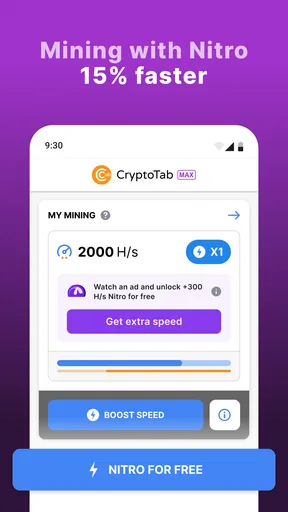
Joining the mining network is as simple as signing up and enabling the mining feature. You can even adjust the mining speed based on your preference. Personally, I found the low setting to be a sweet spot, allowing me to earn while keeping everything running smoothly. Plus, there’s a referral program that lets you boost your earnings by inviting friends to join. Who doesn’t love a little extra crypto on the side?
I would approach this feature as an optional experiment, not a dependable way to make money. Mining uses device resources, and the balance between activity and responsiveness is a personal trade-off. If you are trying it on a device that someone else needs for calls, schoolwork, or other demanding tasks, agree on when it is appropriate to use it and check how the device feels during ordinary use. The key question is not only whether an earnings display changes, but whether the feature is worth the resources and attention it takes.
Referral invitations also deserve a little thought. They may suit someone who already talks with friends about crypto, but I would not send invitations simply to chase a reward. Friends should know what they are joining, and anyone uninterested in cryptocurrency can reasonably ignore the feature. If your goal is simply to browse, you can evaluate the browser without treating referrals as part of the job.
User Interface and Experience
When it comes to the user interface, CryptoTab Browser Max Speed does not disappoint. It’s built on a Chromium engine, which means it looks and feels very much like Chrome. If you’re already familiar with Chrome, you’ll feel right at home. The transition was seamless for me, and I didn’t have to deal with any learning curve. Everything from bookmarks to extensions are supported, making it a versatile option for power users.
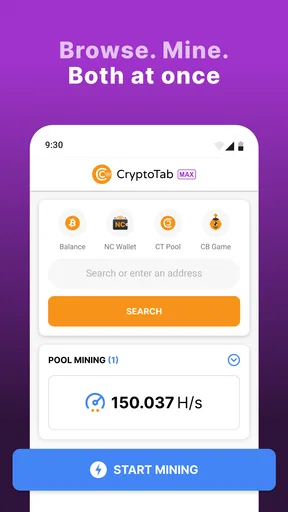
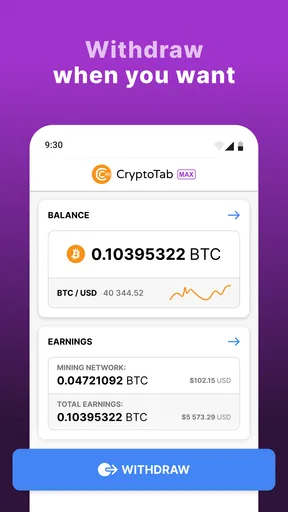
The dashboard is clean and intuitive, displaying your mining stats and earnings in a simple format. It’s motivating to see your earnings grow as you browse. The browser also integrates all the usual features like bookmarks, history, and extensions, ensuring that you’re not missing out on any functionality.
That familiar layout lowers the effort of trying it, but it does not remove every migration question. Before relying on it, I would check that the bookmarks and extensions I actually use behave as expected and decide whether I want my regular browsing history in a separate place. A Chromium-like appearance is useful for comfort; it is not, by itself, a reason to assume every setting or workflow will match another browser exactly.
One useful way to test it is to keep the trial focused: open a few frequently used pages, try your normal tab pattern, and look at whether the dashboard’s crypto information is helpful or distracting. That gives you a fair comparison without immediately reorganizing your whole browsing setup. Someone who likes a clear separation between work and personal browsing may prefer to keep it in a distinct role even if they enjoy the interface.
Security and Privacy
Security is a crucial factor for any browser, and CryptoTab Browser Max Speed takes it seriously. It includes all the standard security features such as ad blockers and anti-tracking tools to ensure a safe browsing experience. While the thought of mining might raise some eyebrows regarding privacy, the app maintains a transparent policy. It’s important to familiarize yourself with their privacy terms to understand how your data is handled.
Moreover, regular updates are rolled out to keep the browser secure from potential threats. Personally, I appreciate the emphasis on maintaining user trust through robust security measures. It’s always reassuring to know that your digital safety is being prioritized.
For me, privacy is not a box I would tick once and forget. I would read the terms, review the browser’s available settings, and be deliberate about accounts used on a device that other people can pick up. A browser may include security tools and still require sensible choices from the user. If you handle highly sensitive work or have strict requirements for managing accounts, your established browser and its familiar safeguards may be a better fit.
There is also a practical distinction between trust in a browser and trust in a financial feature. I would avoid assuming that an on-screen earnings figure is equivalent to money I can immediately spend, and I would read the relevant terms before committing to purchases or inviting others. That cautious approach is useful for any crypto-related service, especially when the device is shared and another person could misunderstand what has been enabled.
Who will get the most from it?
I see the strongest fit for an adult who already wants to explore cryptocurrency, likes a Chromium-style browser, and is willing to assess mining as an optional feature rather than a guaranteed benefit. It may also suit someone who wants a separate browser for crypto research, keeping that activity distinct from the browser used for everyday logins and household tasks.
I would steer away from it if you need a no-fuss browser for a child, a shared family tablet where nobody wants to manage separate habits, or a work device where consistency and established routines matter most. It is also a poor match if your priority is simply a browser with no crypto-related decisions. A mainstream browser may be more convenient in those cases, even if this one’s extra angle sounds novel.
CryptoTab Browser Max Speed is free to install, rated for Everyone, and has a 4.4 average from around 45,000 ratings, with more than a million installs. It was released on November 9, 2021, and version 7.2.27 requires Android 8.0 or later. Those details make it easy to judge whether it suits your device and comfort level, but they do not answer the personal question of whether you want mining in your browsing routine.
Final Thoughts
In the vast ocean of browsers, CryptoTab Browser Max Speed manages to stand out with its unique blend of speed and cryptocurrency earning potential. It’s an innovative tool for those who love efficiency and aren’t shy about dipping their toes into the world of digital currency. While it might not replace your default browser entirely, it’s definitely worth a try, especially if you’re curious about crypto mining.
With a stellar user experience, impressive speed, and the added bonus of earning while you browse, this browser certainly has a lot going for it. So, if you're ready to turbocharge your surfing experience and make your time online more rewarding, give it a whirl. You might just find it’s the upgrade you didn’t know you needed.
My household verdict is more measured: I would try it on a personal device or give it a clearly defined role on a shared one, then decide whether the browsing feel and optional crypto tools earn a permanent place. For a straightforward family browser, I would choose the option everyone already understands. For someone genuinely curious about crypto who is comfortable reviewing settings and keeping account boundaries clear, this is a more distinctive alternative worth exploring.
Verdict
Strengths of CryptoTab Browser Max Speed
- Fast browsing with integrated mining feature.
- User-friendly interface and intuitive design.
- Supports multiple devices seamlessly.
- Built-in ad blocker enhances browsing experience.
- Consumes less battery compared to peers.
Limitations of CryptoTab Browser Max Speed
- Mining may slow down device performance.
- Limited customer support options available.
- High battery usage during mining sessions.
- Not all websites support crypto payments.
- Requires consistent updates for optimal use.
Other Releases by CT Technologies
View All
CT Pool: Crypto Mining App
Tools4.2

CryptoTab Farm PRO
Finance3.8
Similar Picks in This Category
View All
Google Messages
Google LLC4.6

Gmail
Google LLC4.1

Google Meet
Google LLC4.4

Google Chrome
Google LLC4.1

WhatsApp Messenger
WhatsApp LLC4.6

Carrier Services
Google LLC4.2
Frequently Asked Questions
What is CryptoTab Browser Max Speed?
CryptoTab Browser Max Speed is a web browser designed specifically for cryptocurrency enthusiasts. It allows users to browse the internet while simultaneously mining Bitcoin using the browser's built-in mining feature. The browser aims to provide a fast and efficient browsing experience, with additional features to enhance crypto mining potential.
How does the mining feature work in CryptoTab Browser Max Speed?
The mining feature in CryptoTab Browser Max Speed utilizes your device's processing power to mine Bitcoin while you browse. It runs in the background, allowing you to earn small amounts of Bitcoin without interrupting your usual online activities. Users can also adjust the mining speed and track their earnings directly from the browser.
Is CryptoTab Browser Max Speed safe to use?
CryptoTab Browser Max Speed is generally considered safe to use, as long as it is downloaded from the official website or a trusted app store. However, users should be aware that mining can increase CPU usage, potentially leading to higher energy consumption and wear on their device. Always ensure your antivirus software is up to date when using mining applications.
Can I use CryptoTab Browser Max Speed on both Android and iOS devices?
Yes, CryptoTab Browser Max Speed is available for both Android and iOS devices. This cross-platform compatibility allows users to mine Bitcoin on a variety of devices, including smartphones and tablets. Be sure to check device compatibility and system requirements before downloading to ensure optimal performance.
Are there any costs associated with using CryptoTab Browser Max Speed?
CryptoTab Browser Max Speed is free to download and use. However, the app may offer in-app purchases or premium features to enhance mining speed or provide additional functionalities. Users should carefully review any potential costs associated with these features and decide based on their individual needs and budget.
